
Releases
VivoQuant™ 5.4.3 Patch Release
July 1, 2025
VivoQuant™ 5.4.3 updates the 5.4.2 release to include fixes and improvements to the Advanced Module: 3D Brain Atlas. This update is recommended for users of the 3D Brain Atlas, especially those on macOS.
See the full VivoQuant™ Release Notes for 5.4.3 for more detail or the Downloads section on this page to get the latest version of VivoQuant™ for your Operating System.
VivoQuant™ 5.4.2 Patch Release
May 5, 2025
VivoQuant™ 5.4.2 corrects an issue with saving out in DICOM Multi-Frame (Functional Groups) Mode with the following versions of VivoQuant:
- 5.3.0
- 5.4.0
- 5.4.1
When saving data with the DICOM Functional Group mode from VQ 5.3.0, 5.4.0 or 5.4.1 and the rescale slope and intercept values were originally present in the DICOM root, the saved rescale slope and intercept tags are not updated to new scaled values. The issue is not present when saving in other modes or formats in VQ 5.3.0+; nor was it present in earlier versions of VQ.
The issue was addressed by improved control flow for rescale slope and rescale intercept values.
It is highly recommended that any of the impacted versions be updated to 5.4.2.
See the full VivoQuant™ Release Notes for 5.4.2 for more detail.
VivoQuant™ 5.4.0 | 5.4.1 Release
April 7, 2025
VivoQuant™ 5.4 improves upon the 5.3 release with a small set of enhancements and fixes as well as performance improvements on two modeling operators. VivoQuant™ 5.4.1 additionally corrects a minor issue in non-interactive mode when using VivoScript.
Highlights include:
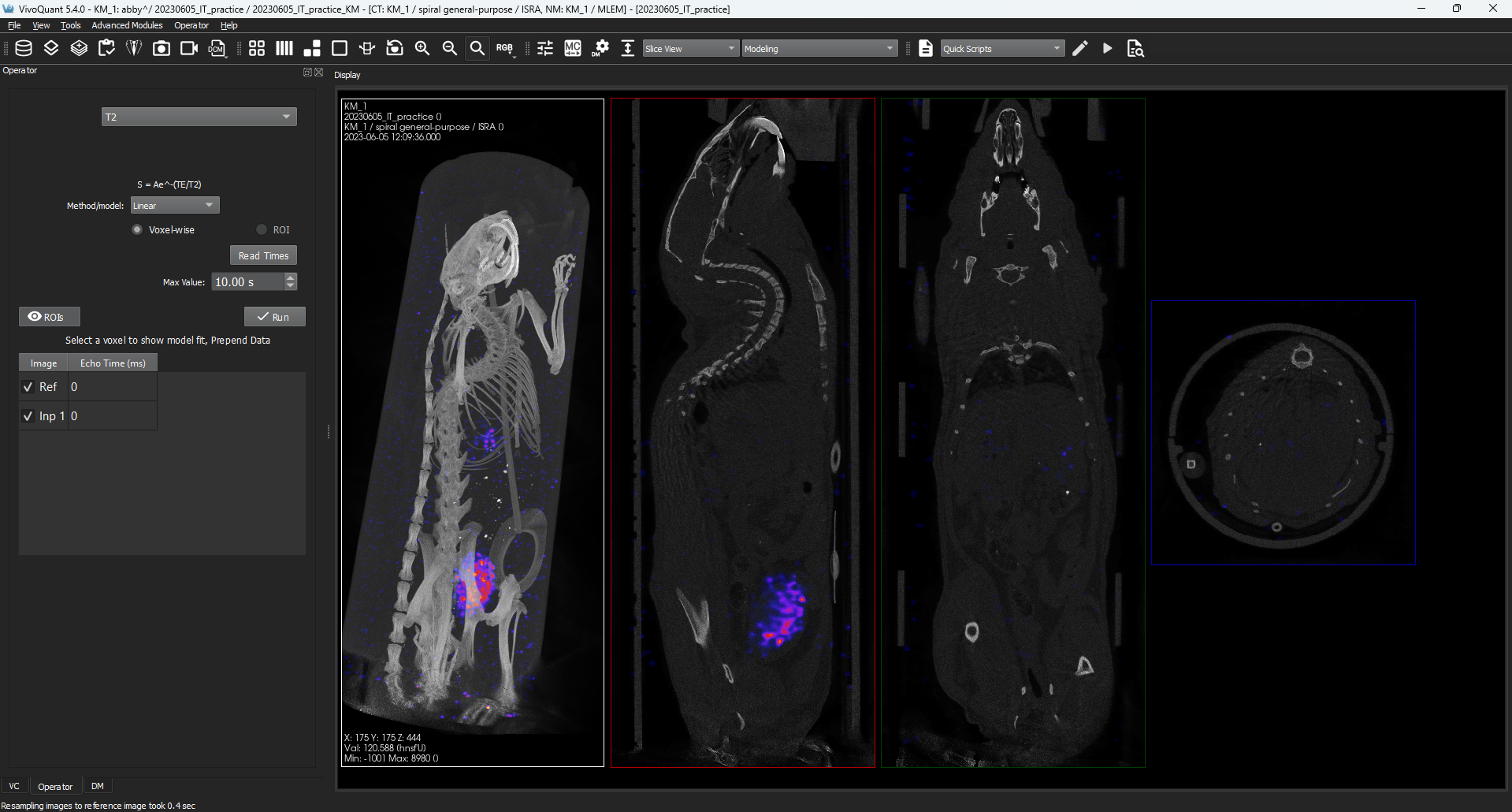
Improved MR Modeling Performance — both the T2 and FAT modeling operations run faster with this release.
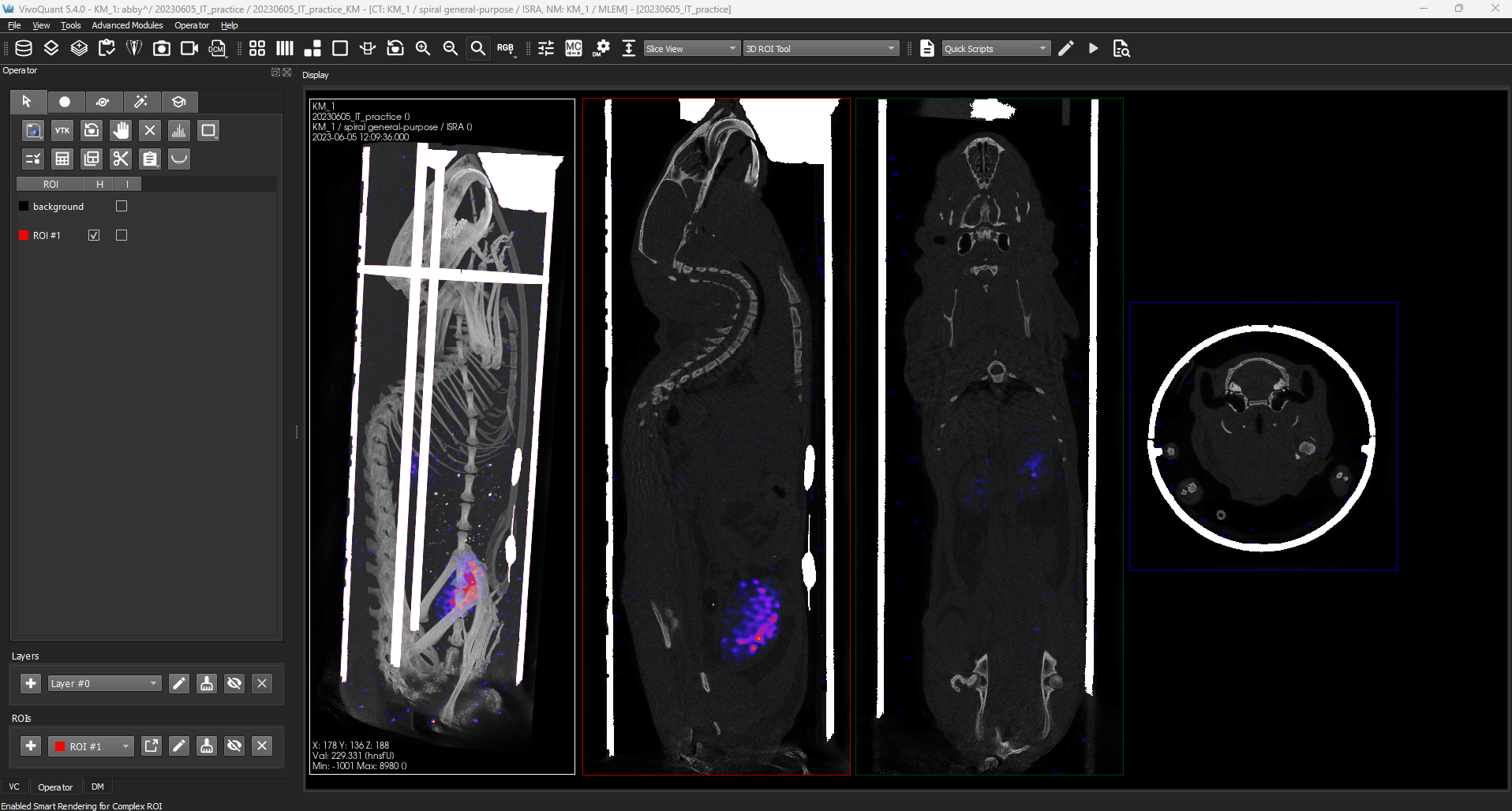
Background Options for Data Cutting — we’ve provided more flexibility in Data Cutting operations to now be able to set the background color to the images Minimum or Maximum value, typically Black/Dark Gray and White respectively.

Configuration Panel Alternate Hotkey Combo — for Windows users who have experienced interference from other software with CTRL + SHIFT + C you can now use CTRL + SHIFT + , (comma) as an alternative.
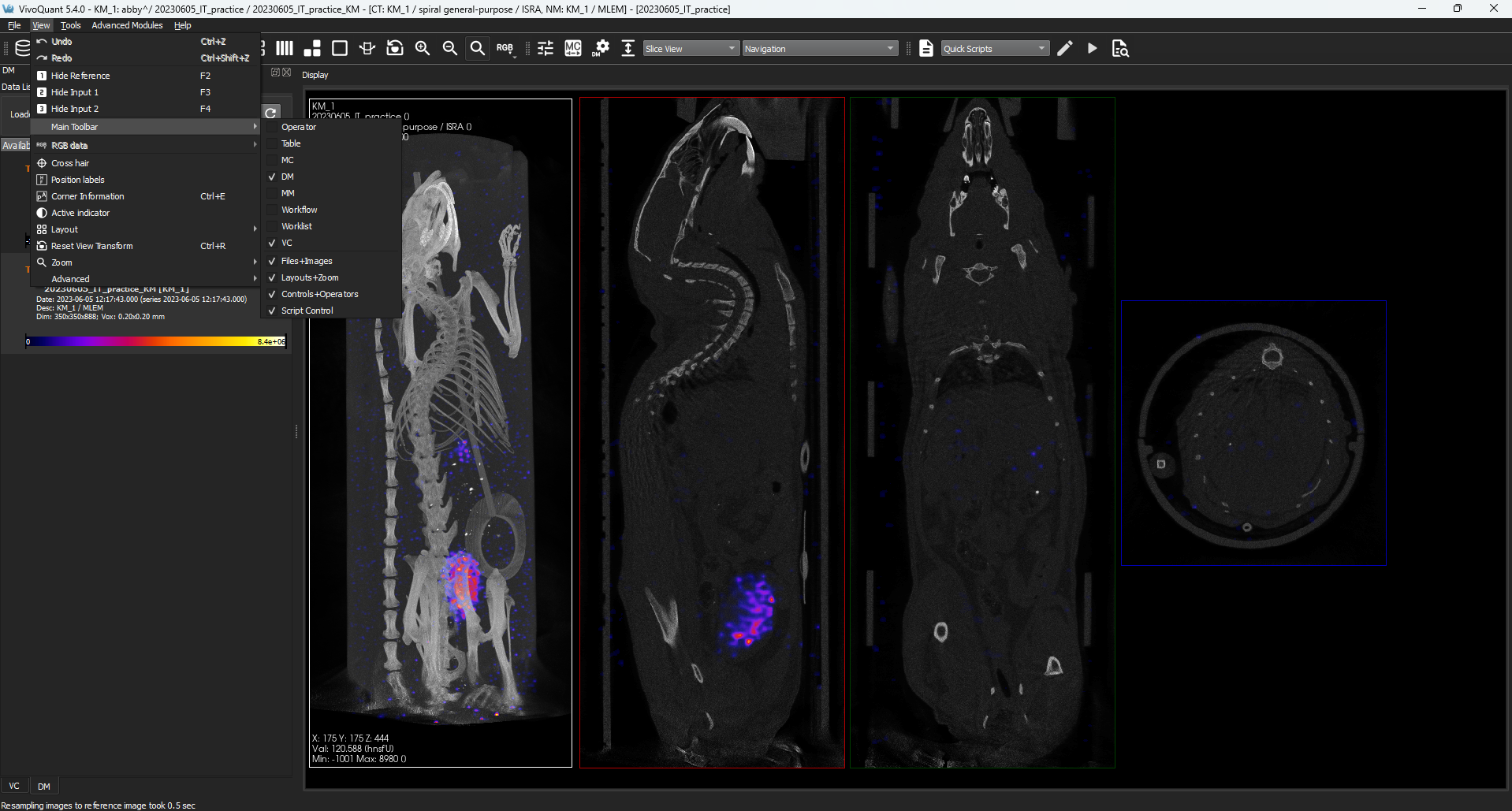
Manage Your Main Toolbar Easier — we’ve made it simpler for you to add or remove tools from your main toolbar by giving you an application menu option Main Toolbar within Application > View. We’ve also made it easier to right-click on the Main Toolbar when there are no tools loaded into it.
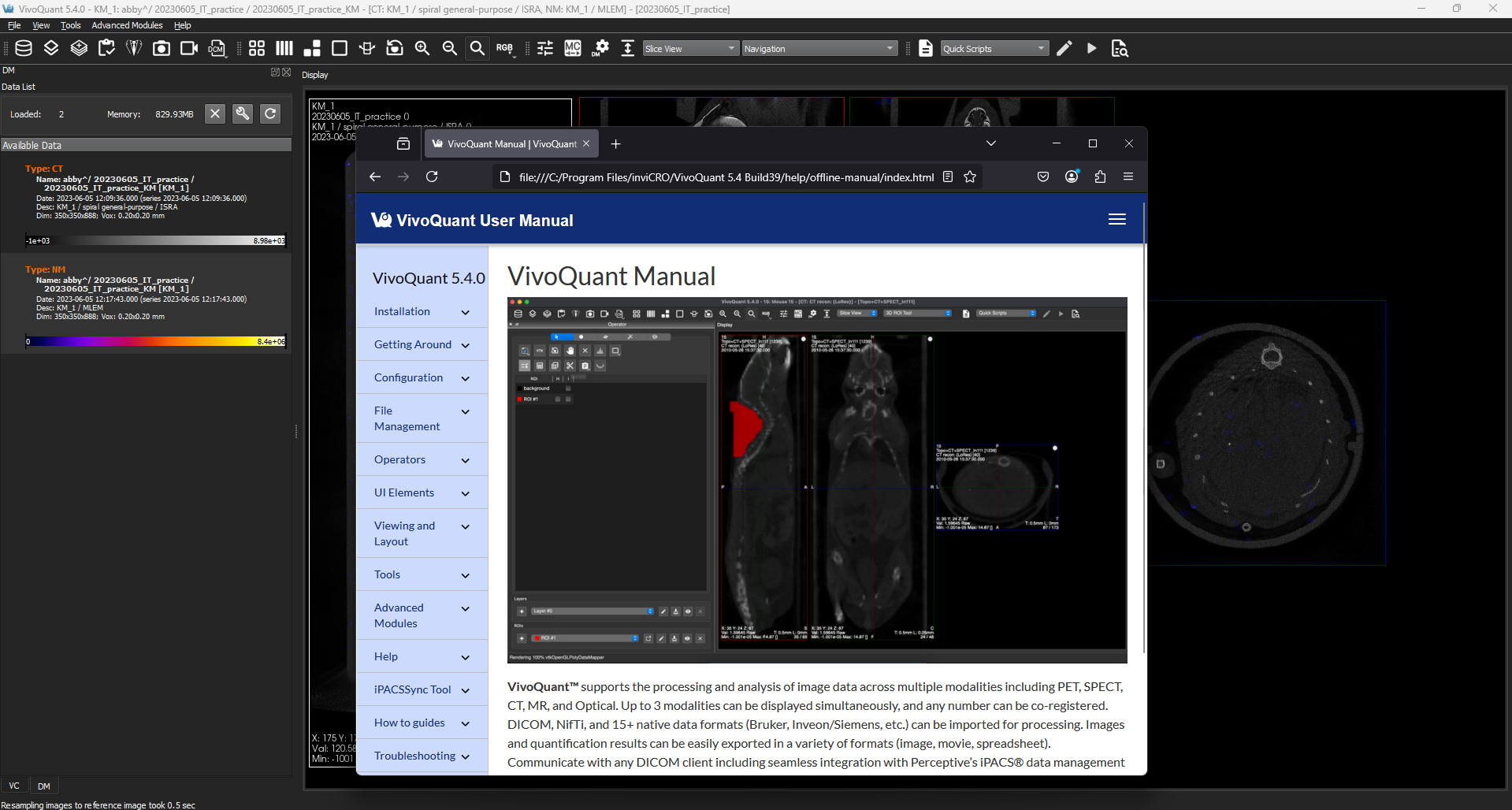
Goodbye static PDFs, Hello HTML offline manual — new releases of VivoQuant will now bundle web pages that are viewable offline. The manual’s search has been improved both on and offline, and we’ve added tag-based navigation to it as well.
Quickly Access the Log File — with the main VivoQuant window in view users can bring up the log file with a shortcut key combo. Windows / Linux Shortcut: SHIFT + CTRL + L and MacOS: SHIFT + CMD + L.
VivoQuant™ 5.4.0 also contains bug fixes and other improvements:
- Drag and Drop to open zipacs session files is now supported.
- Under certain scaled UI conditions (e.g a display set to scale to 150%) users could experience an offset in drawing an ROI — we’ve fixed this from occuring.
See the full VivoQuant™ Release Notes for 5.4.0 and Release Notes for 5.4.1 (PDF) for more detail.
VivoQuant™ 5.3.0 Release
February 7, 2025
VivoQuant™ 5.3 improves upon the 5.2 release with a number of fixes as well as enhancements to: Dynamic Data handling and Movie labeling.
Highlights include:
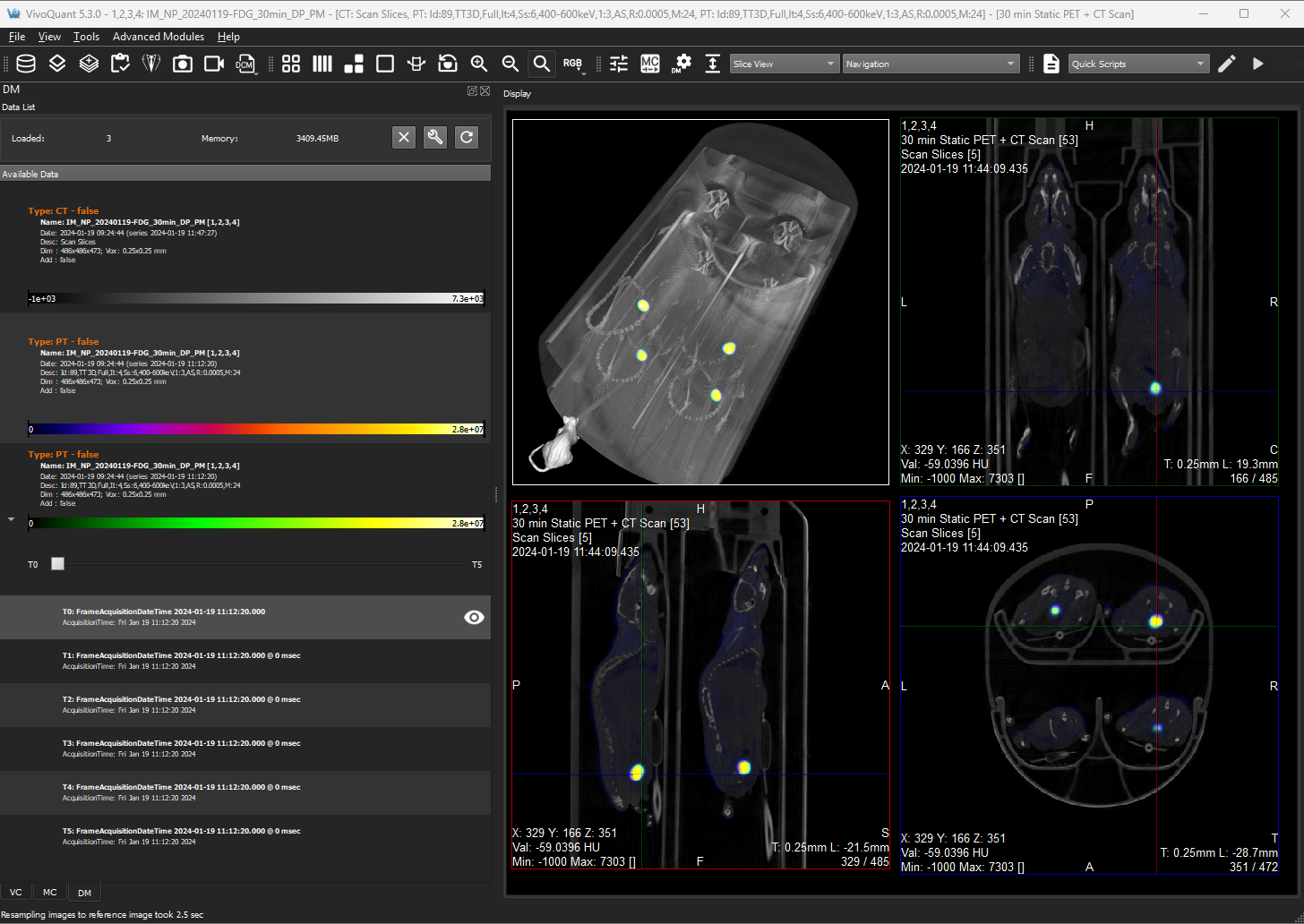
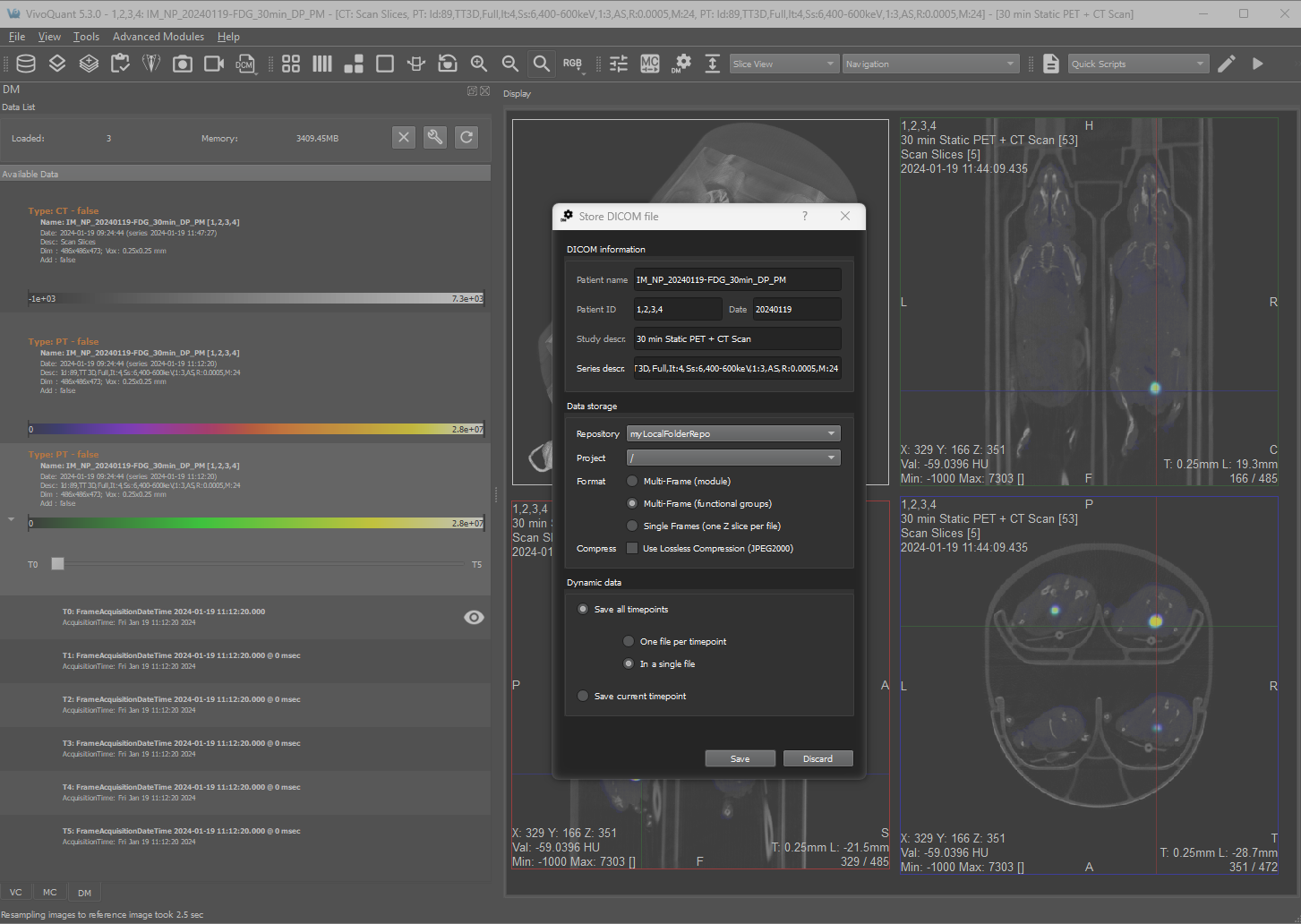
Dynamic Data — we’ve improved support for Dynamic Data throughout VivoQuant’s DICOM Pipeline standardizing representation to ensure VQ represents volumes uniformly from loading a variety of dynamic data (collapsed, non-collapsed), merging data, preserving the time dimension throughout operations, and more flexibly saving changes.
This effort resulted in VivoQuant™ being more performant overall as a result.
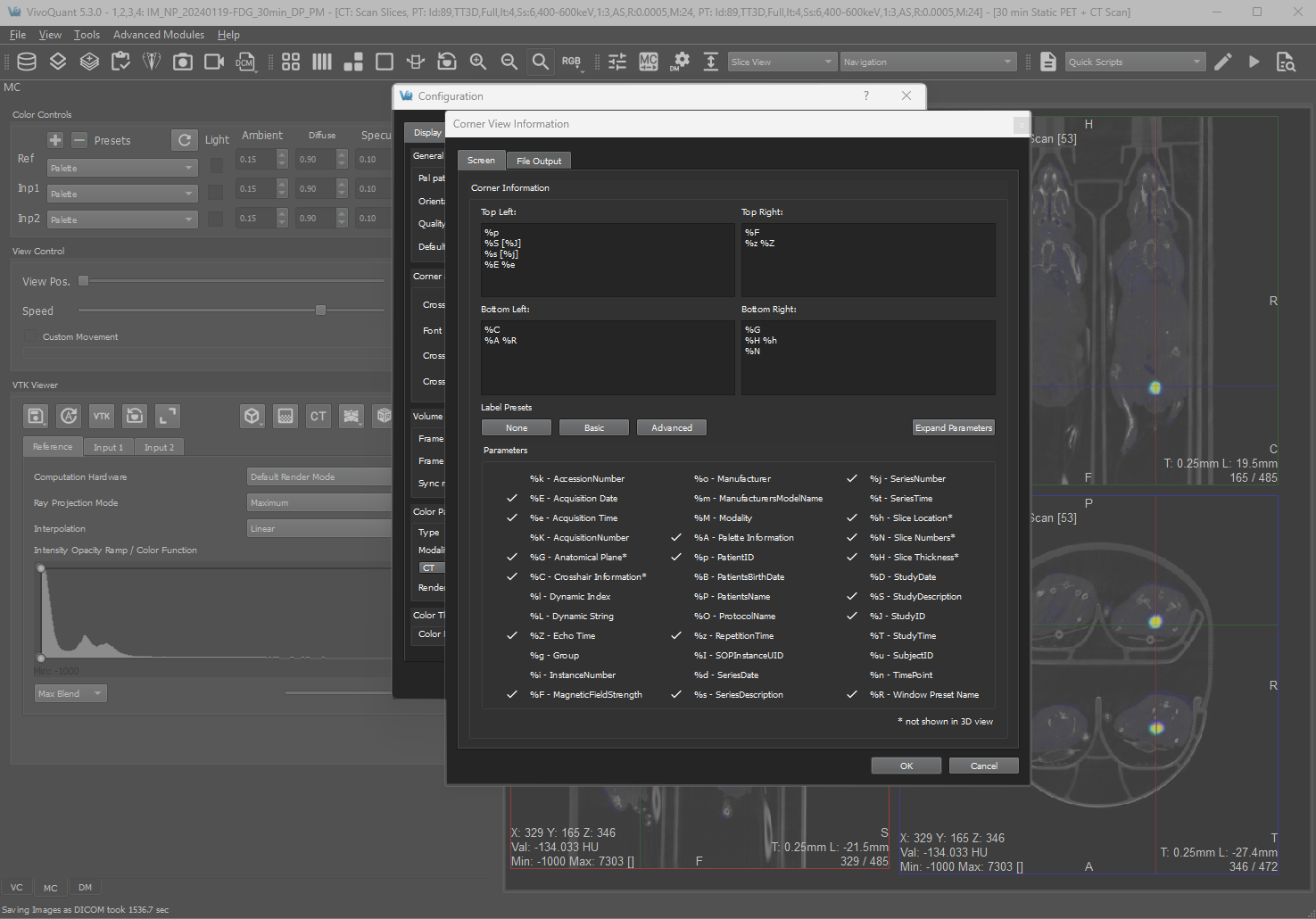
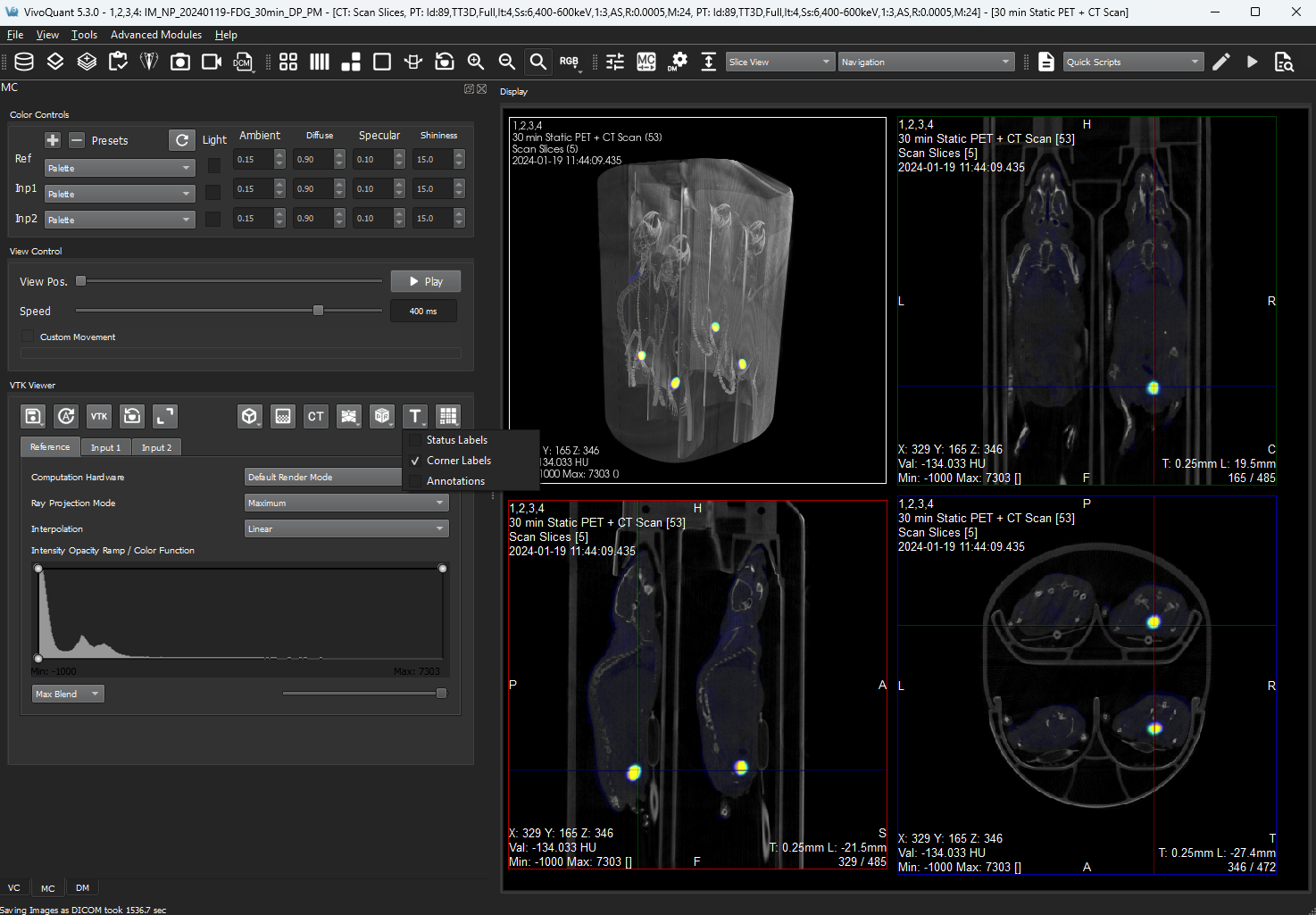
Improved labeling for Movie Exports — We’ve built upon the labeling framework, multiple templates & custom strings, introduced in 5.0 to fully realize advanced labeling needs in the 3D MIP view. Delivering greater flexibility and capability within VivoQuant to reduce the amount of time needed to apply labels as a step after exporting.
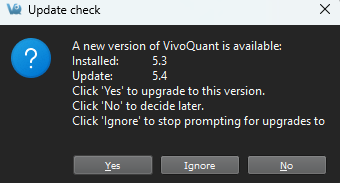
Clarified Upgrade eligibility — We’ve made VivoQuant smarter in terms of when it lets you know that upgrades are available relative to your Service Contract. Along the way we’ve also tightened up the way we talk about previewing our software and who to contact (sales@invicro.com) for preview versions of VivoQuant™.
VivoQuant™ 5.3.0 also contains bug fixes and other improvements:
- VQ will now retain existing ROIs when running the Brain Atlas.
- Improved Bit-depth handling in data compressed with JPEG 2000.
- Improved support for durations less than a minute in length in the Frame Time editor.
- Additonally, we’ve updated our restricted tags list for the DICOM header editor.
- Added support of White Light / RGB data for the ROI Operator.
See the full VivoQuant™ Release Notes for 5.3.0 (PDF) for more detail.
VivoQuant™ 5.2.0 Release
September 13, 2024
VivoQuant™ 5.2 improves upon the 5.1 release with a number of fixes as well as enhancements to the Splitting Operator, DICOM Header editing, working with the Brain Atlas tool, and the Time Series Operator.
Highlights include:
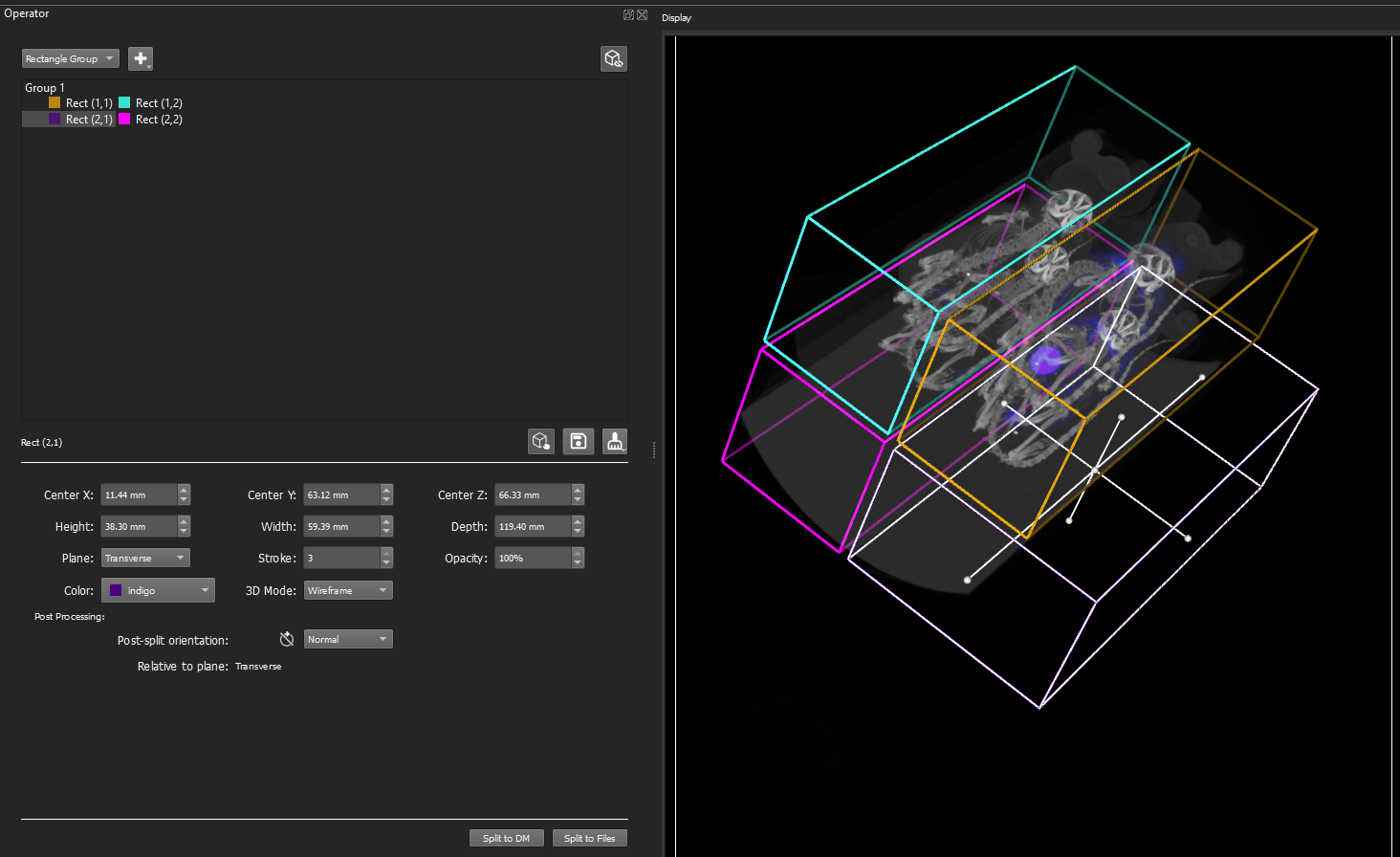
3D Splitting — Users can now quickly view and edit a splitting shape in three dimensions. Being able to have direct manipulation of the shape with your mouse in three dimensions increases the speed of making a good initial split. By unlocking splitting in 3D, VivoQuant™ provides analysts with a more intuitive and versatile set of tools for defining and manipulating their split shapes which continues to include precision manipulation with the operator’s improved User Interface.
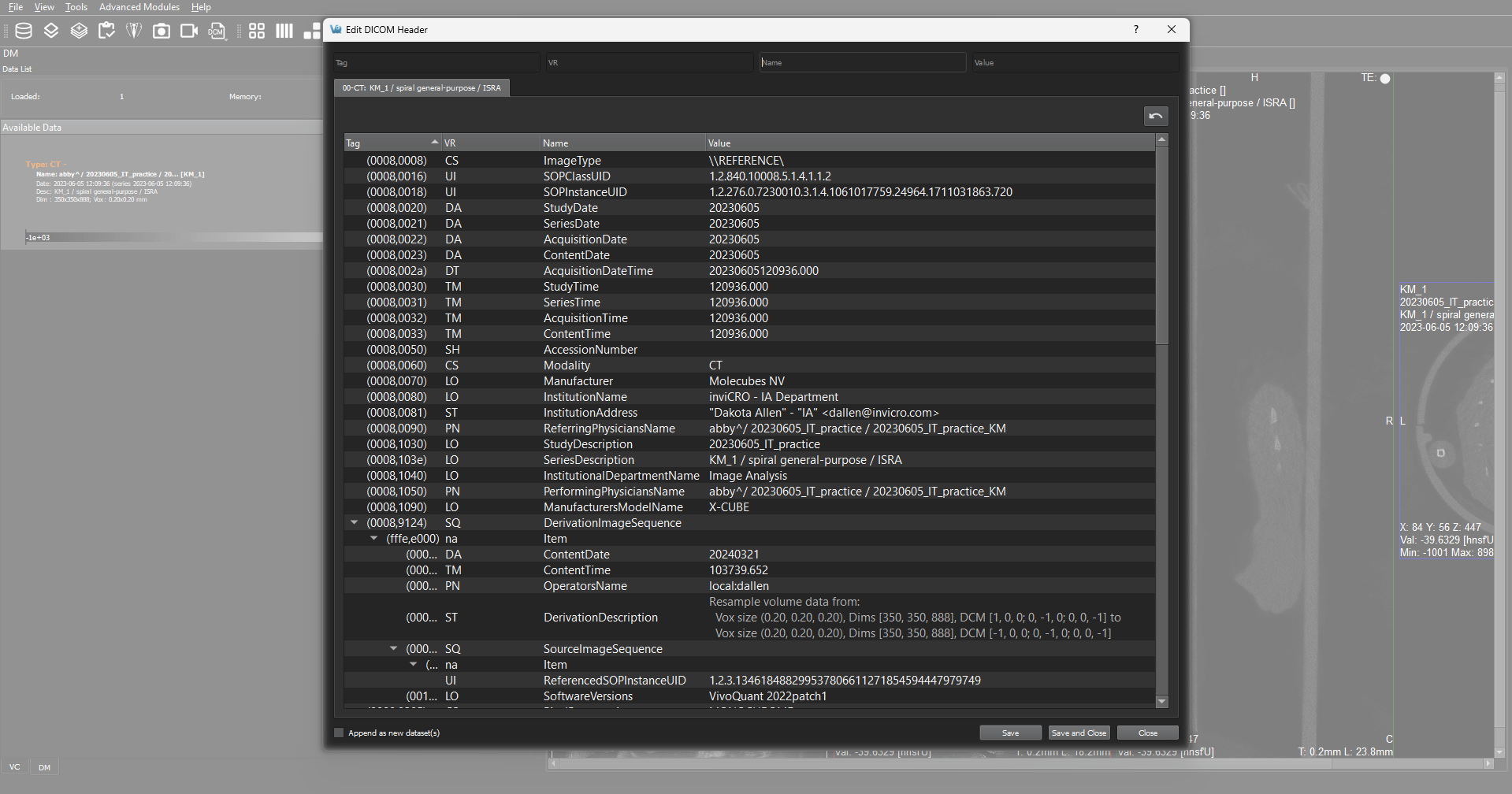
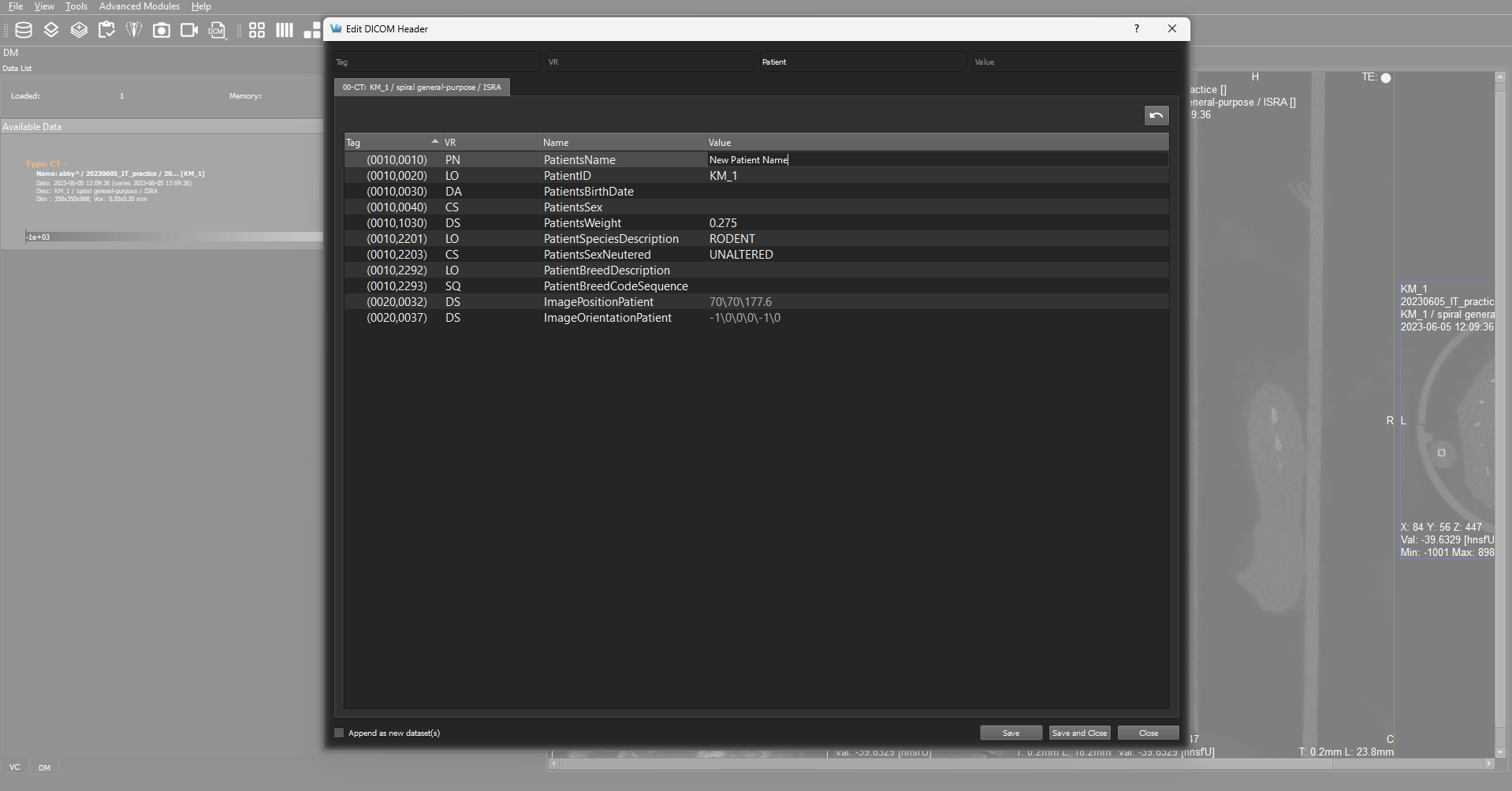
DICOM Header Tags Editing — Editing DICOM Tag values has been greatly enhanced with this release with a dedicated DICOM editor. We’ve reduced the need for image analysts to communicate errors upstream and wait for the corrected data. Additionally, the editing of DICOM values can be restricted (made non-editable) in a configuration file.
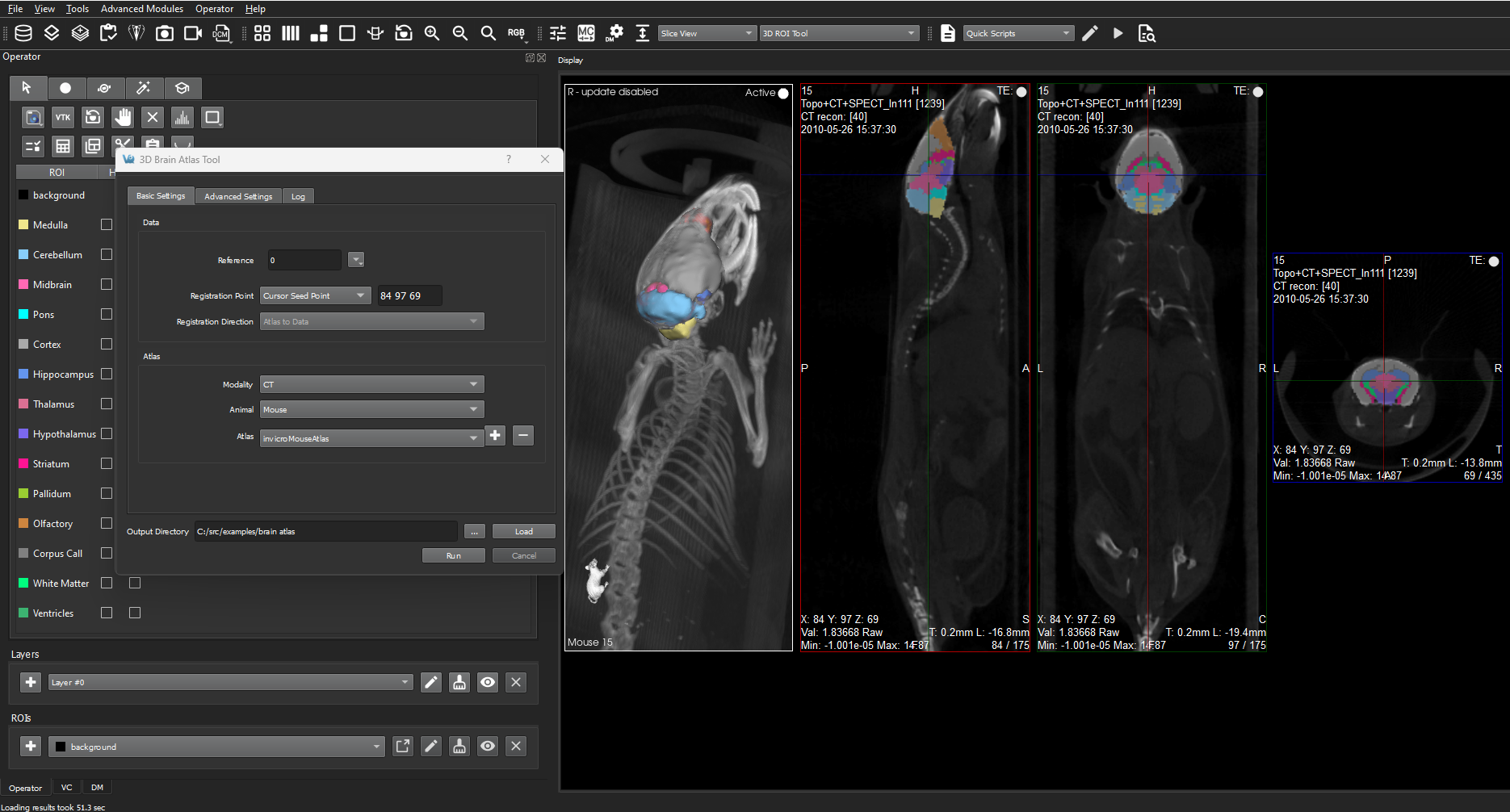
Atlas Translation Options for Whole Animal Data Sets — In addition to existing atlas translation operations (using the Head Center), users can now use a cursor seed point to perform translations to make using atlases with Whole Animal Data more efficient without workarounds.
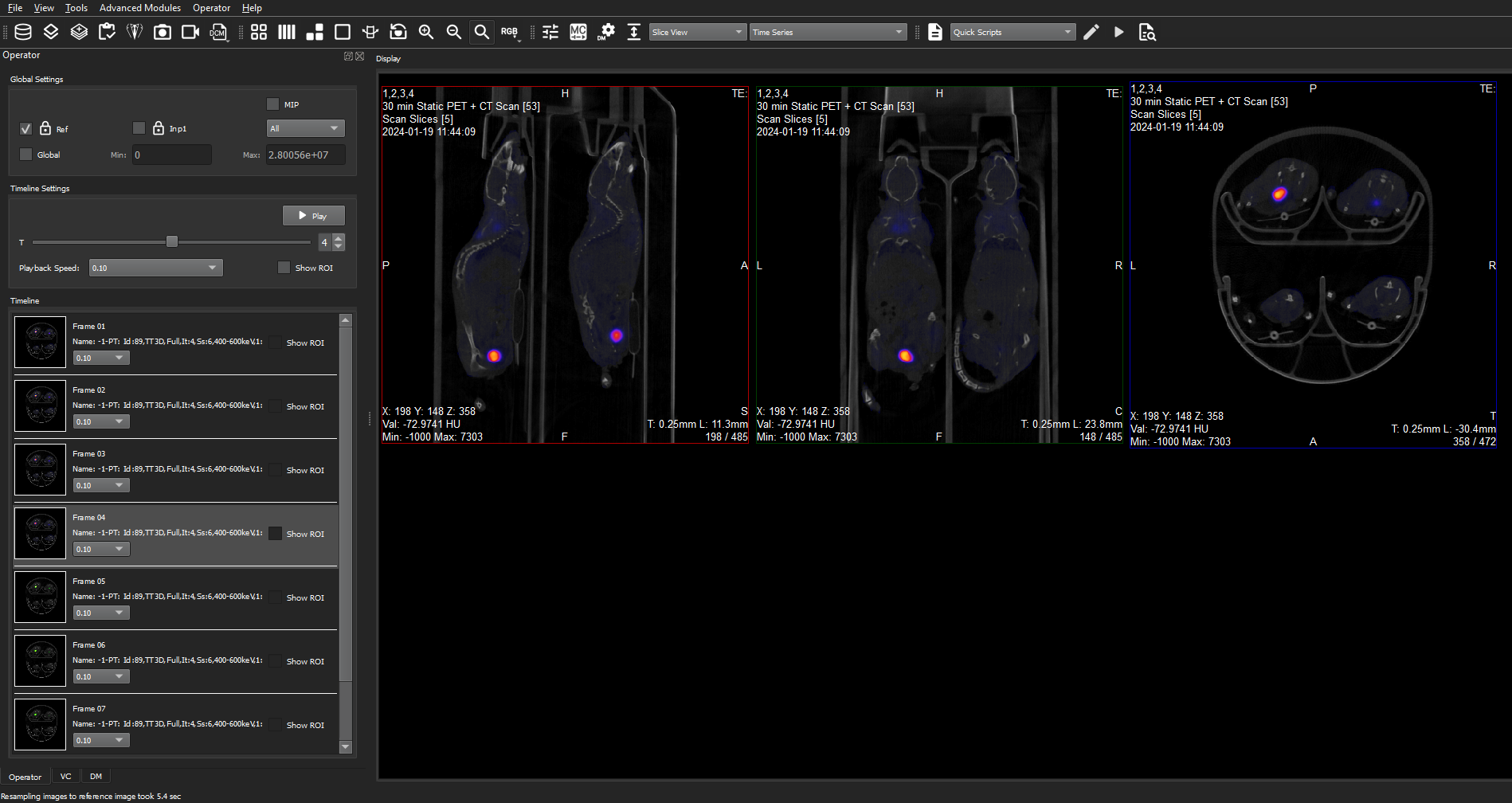
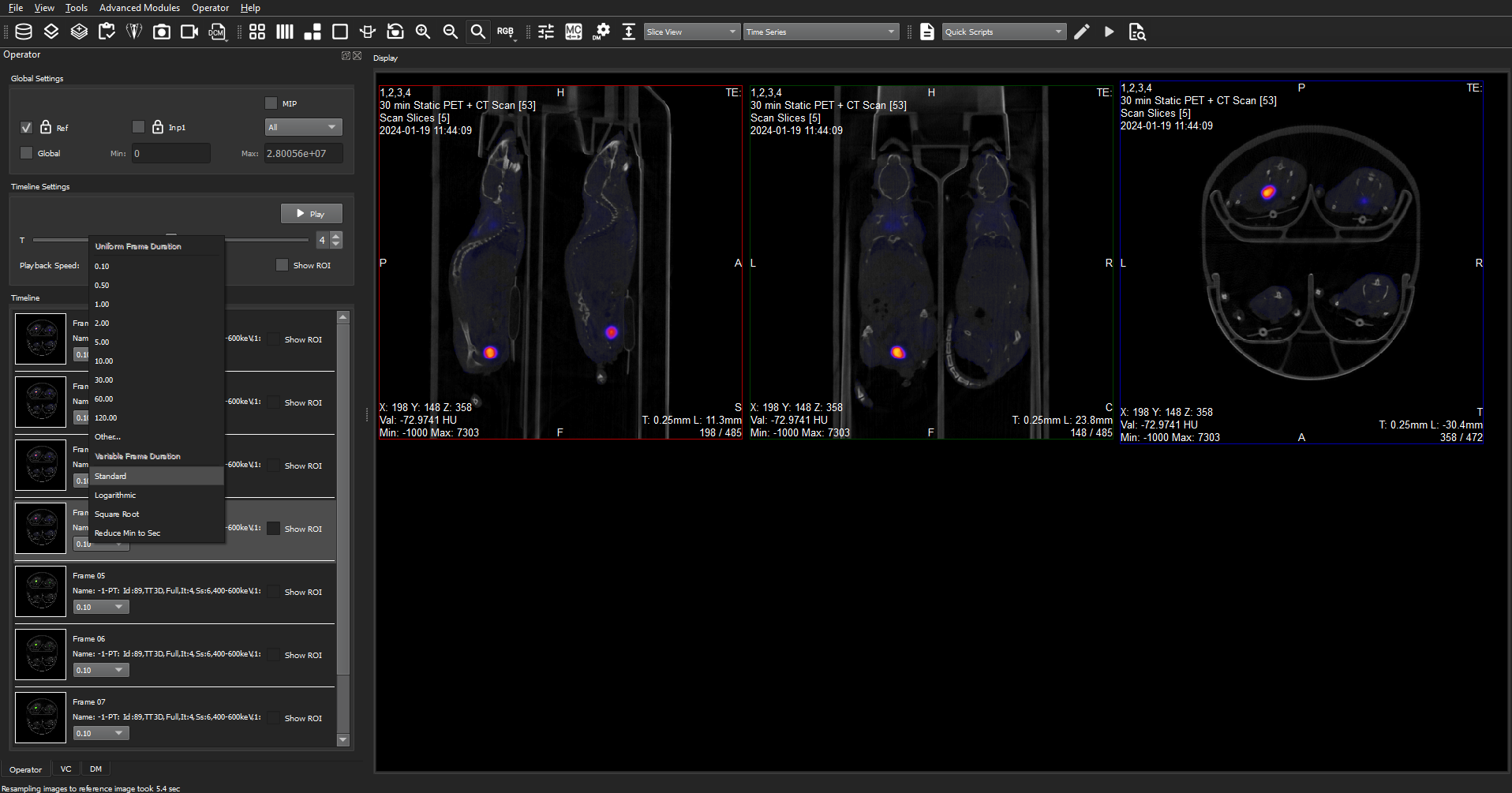
Multi-frame Acquisition Time Awareness in the Time Series Operator — The time series operator has been enhanced with options to provide a more faithful representation of the imaging data's temporal dynamics. With MultiFrame Acquisition Time Awareness, playback in the Time Series Operator in VivoQuant™ is no longer a flat experience. Duration-based playback helps analysts see relevant information more quickly and enhances the overall user experience while also improving movie export options.
VivoQuant™ 5.2.0 also contains bug fixes and other improvements:
- Enhanced VTK’s view-display area (the 3D display) by providing room for rotations. Along with a toggle button to snap back to the default bounds, when needed.
- VQ Pre-Processing Tool will now have improved handling of special characters, e.g. ^ , / and spaces as well as messaging for certain errors.
- Easier loading of settings in the MAS tool as well as a checkbox option that allows controlling whether the MAS tool closes after running or not (sometimes you want to see the logs quickly and sometimes not).
- We’ve made it so that Auto-Zoom does not lock other zoom options. This saves you a click so you no longer have to turn auto-zoom off before zooming in or out.
- Added support of White Light / RGB data for the ROI Operator.
See the full VivoQuant™ Release Notes for 5.2.0 (PDF) for more detail.
VivoQuant™ 5.1.0 Release
June 3, 2024
VivoQuant™ 5.1.0 improves upon the 5.0.1 release with a number of fixes as well as enhancements to the Arithmetics operator, the Splitting Operator and improves the link between the 3D ROI tool and the Data Manager.
Highlights include:
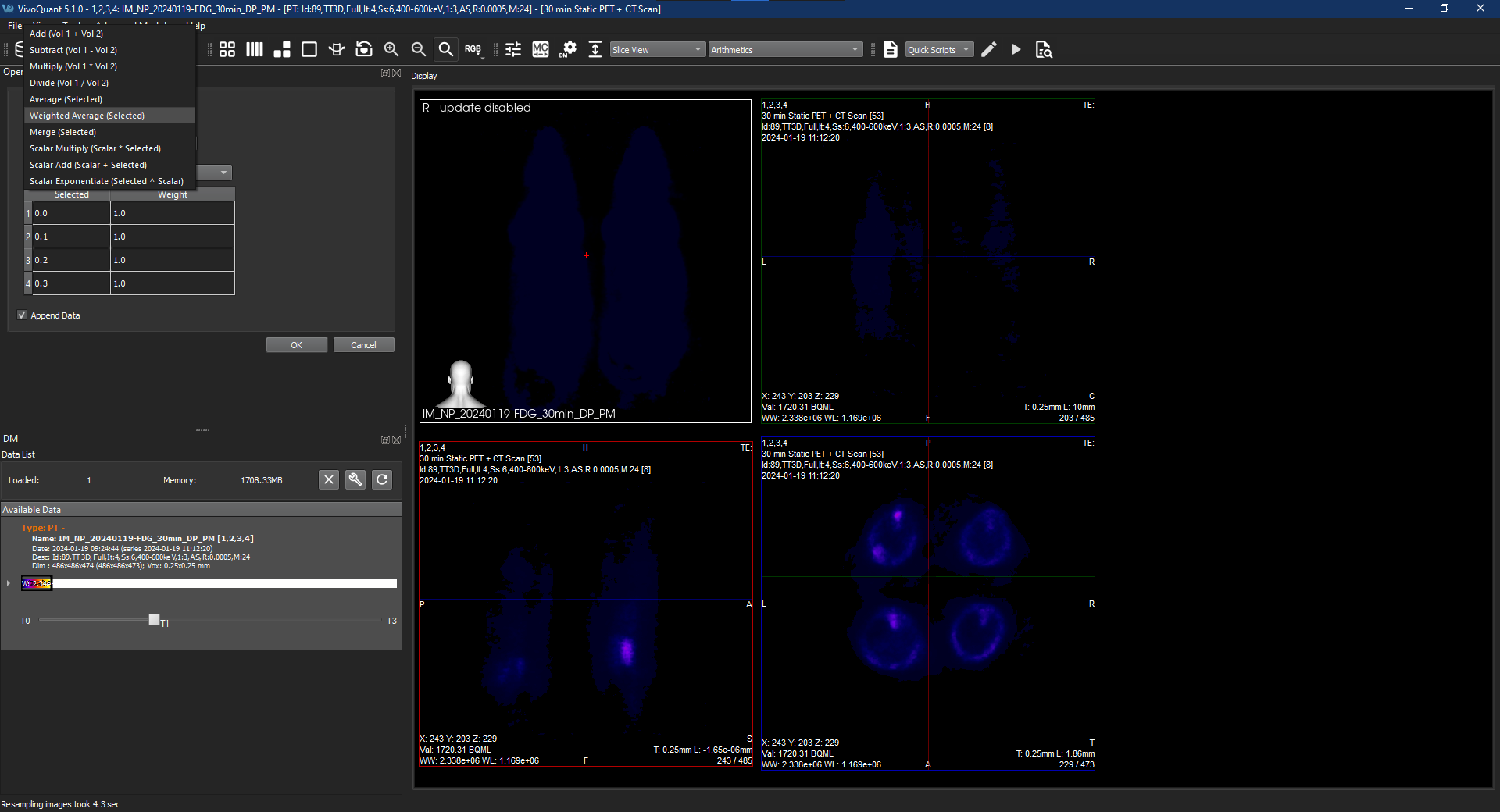
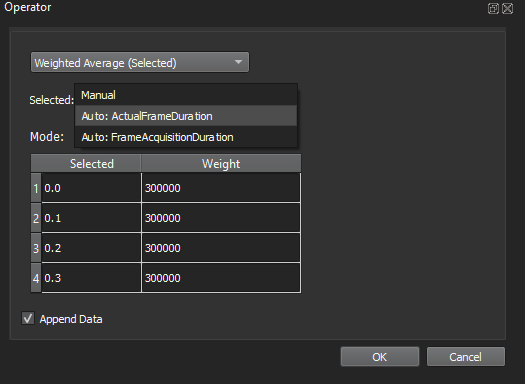
Arithmetics operator: plus one more function — We’ve added the ability perform a time weighted average across selected dynamic images. Weights can be set manually per-frame or derived from DICOM header entries. This operation is particularly helpful in the context of accurate dynamic PET image analysis: averaged images are often used to create single-frame representations of one (or more) subsets of the full dynamic dataset for both qualitative and quantitative analysis. For either of these analyses to be accurate the averaging must be calculated using frame durations as weights — prior to this release weighted averages were performed by VQScript, but now users can do them right from within VivoQuant.
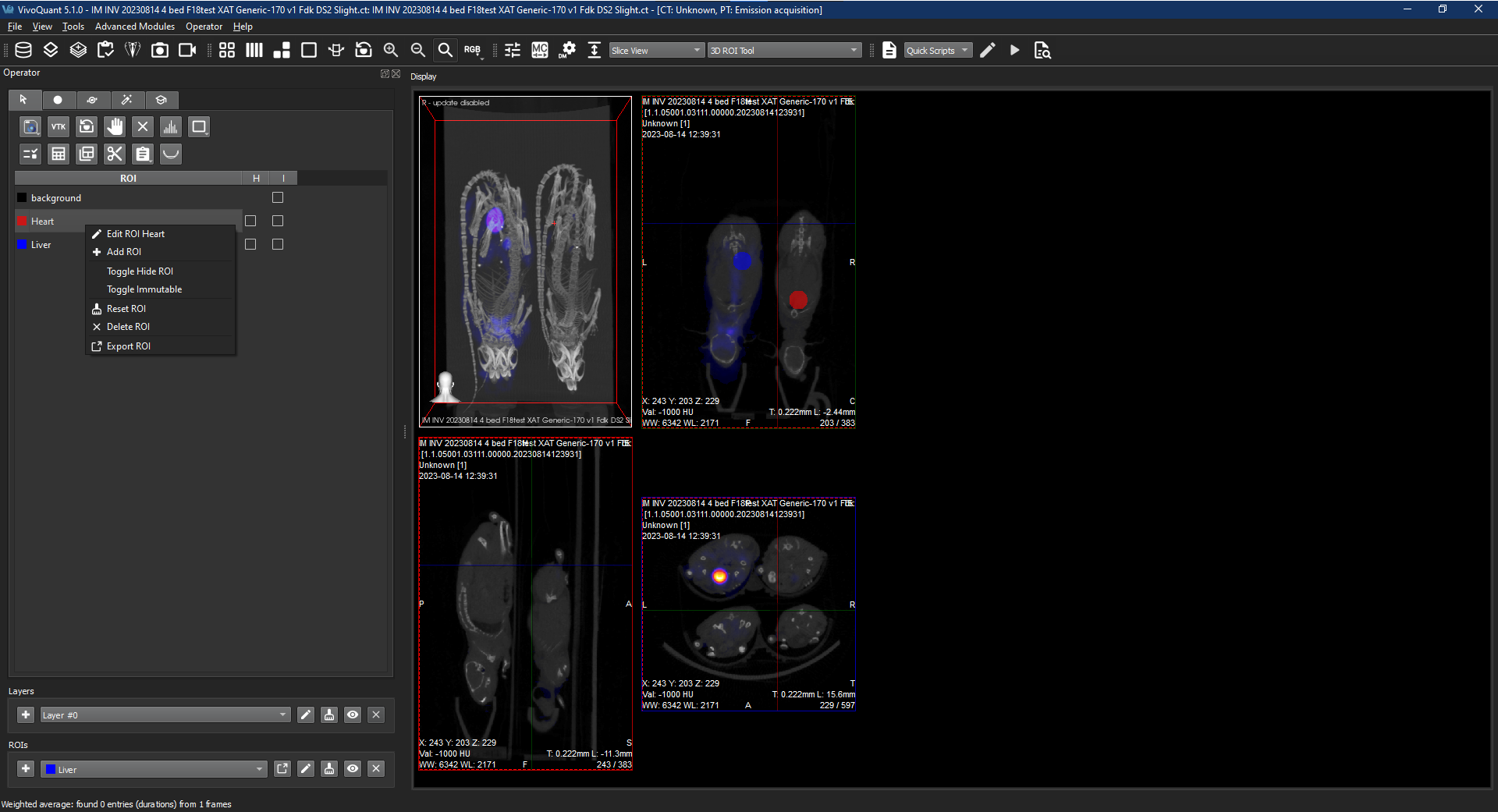
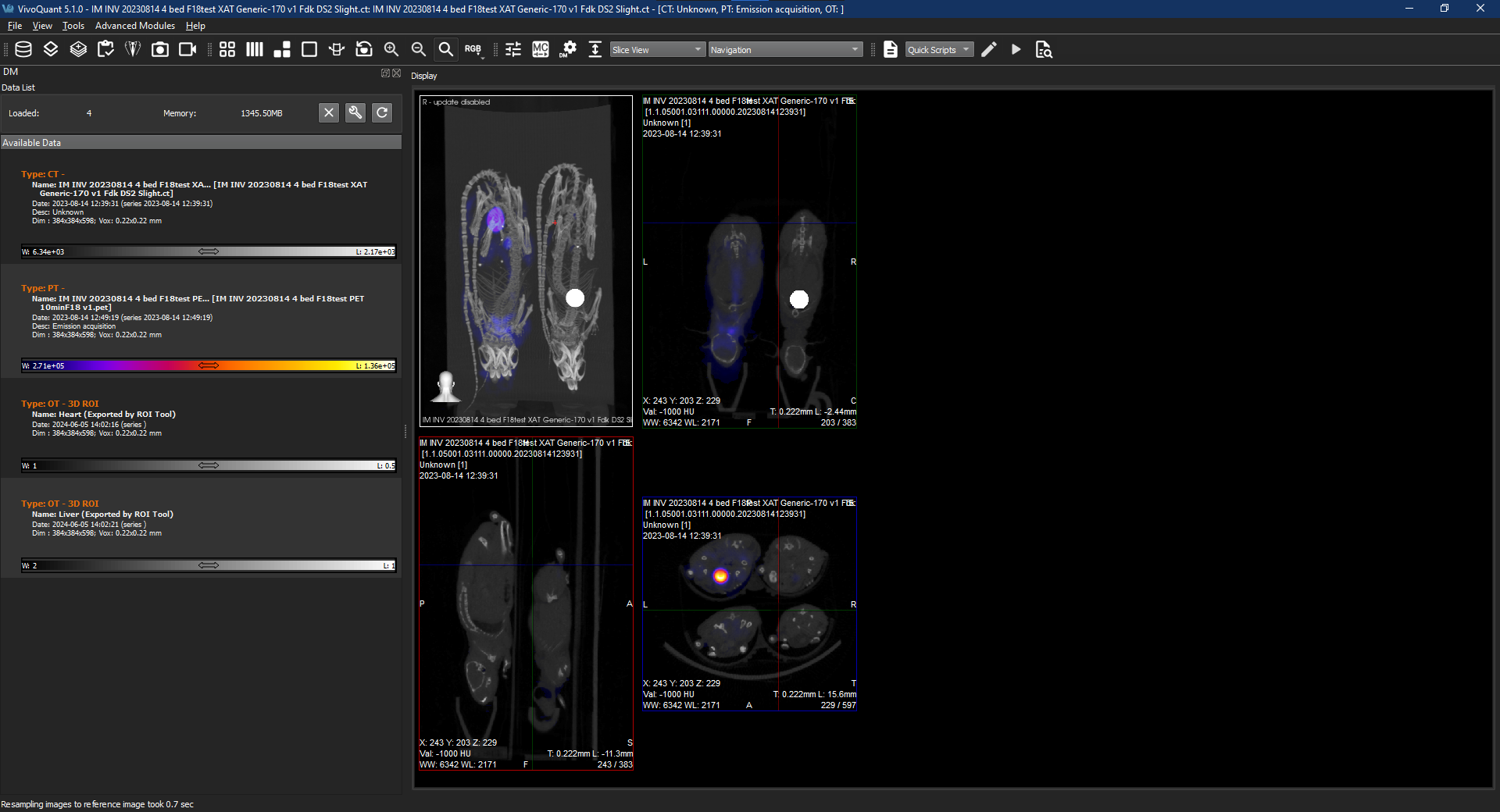
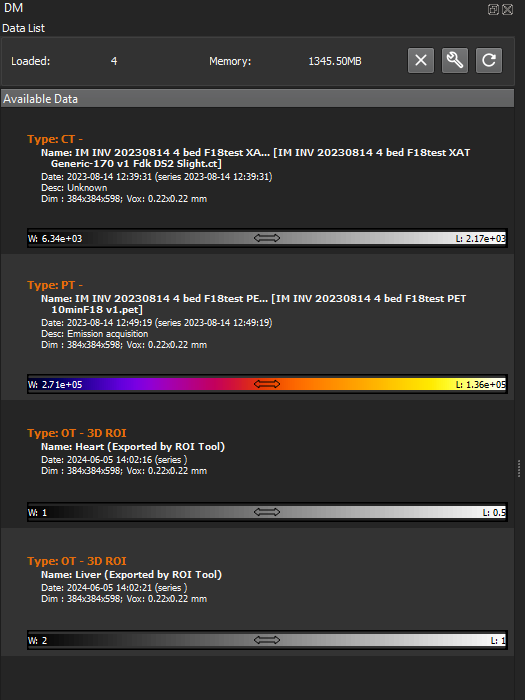
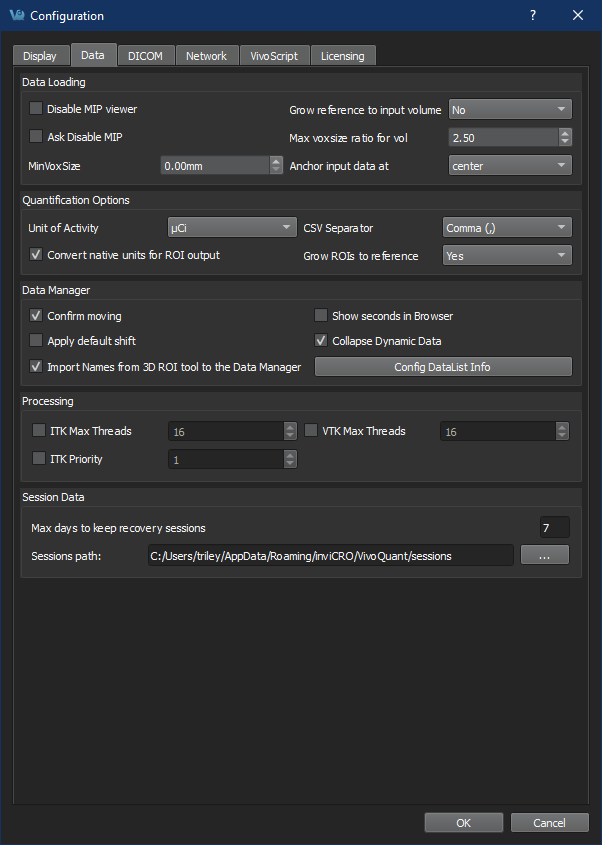
The Power of Names — If you take the time to name an ROI in the 3D ROI tool and you export it to the Data Manager, VivoQuant™ will now use the name you supplied in the Data Manager too making it easier to understand what data is what. We’ve also left the old style as a preference for users who don’t want the names to carry over.
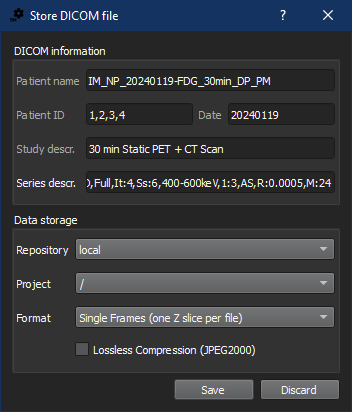
Sometimes a Single-Frame is all you need — We’ve added the option to export dynamic PET data to Single Frame DICOM image.
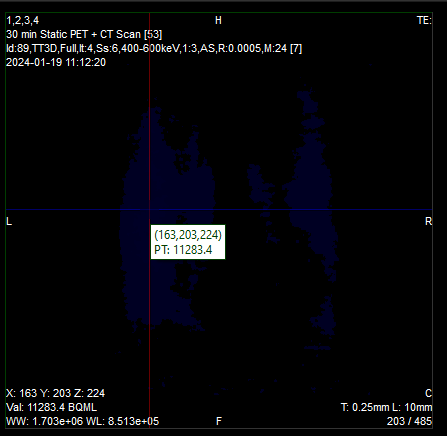
Accessibility improvements — Voxel Value Widgets could be hard to read in VQ’s Dark Mode. We’ve improved the contrast for everyone.
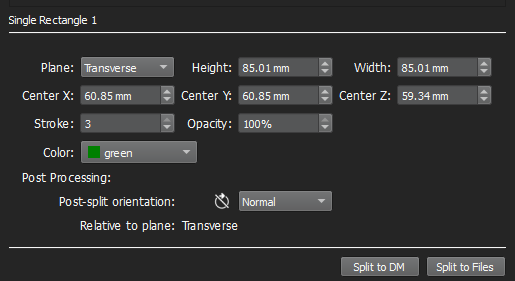
Splitting Operator UI improvements — We’ve re-organized the controls within the splitting operator as well as adding access to manipulate a cylinder’s height. Additionally, when directly manipulating the shape in the view we refresh the values in the UI. We’ve also updated the inputs and rotation icons for the post-processing rotation.
See the full VivoQuant™ 5.1.0 Release Notes (PDF) for more detail.
VivoQuant™ 5.0.0 | 5.0.1 Release
April 25, 2024
VivoQuant™ 5.0.0 introduces customer requested features and updates as well as backend improvements and modernization enhancing security and performance — along with improvements to crash reporting. VivoQuant™ 5.0.1 additionally corrects a minor startup issue.
Highlights include:
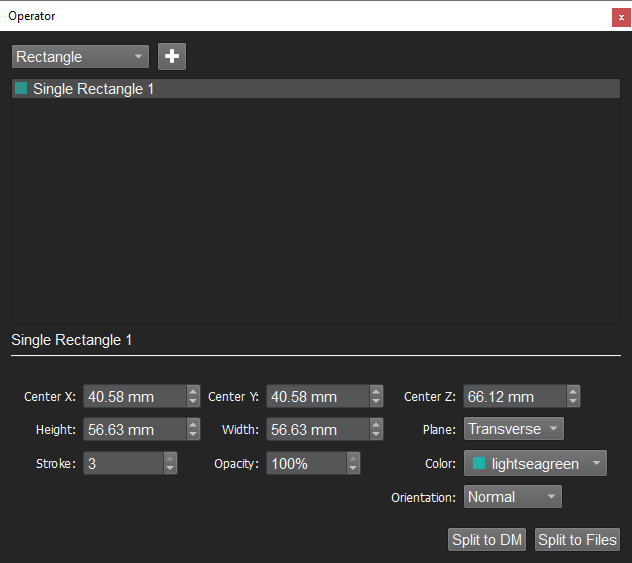
Splitting Operator for all — we’ve made the Splitting Operator, used to quickly separate hotel images or section images as needed, available as as part of the base VivoQuant™ experience to speed up your workflow. You can split to the Data Manager for further analysis or Split to Files for output.
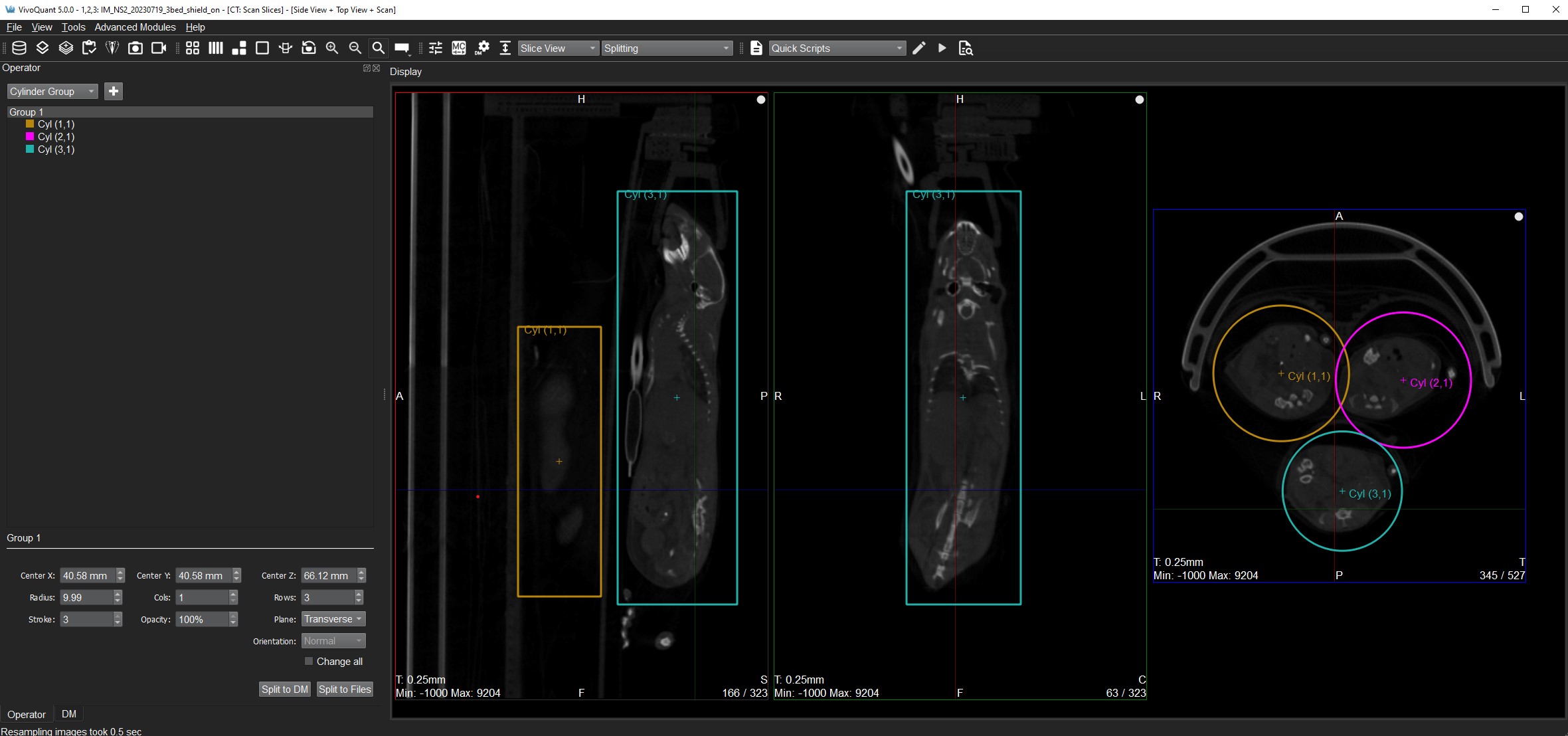
Improved Splitting Operator selection — we’ve made the stroke of the split selection more visible and also given you greater control for adjusting it on the fly.
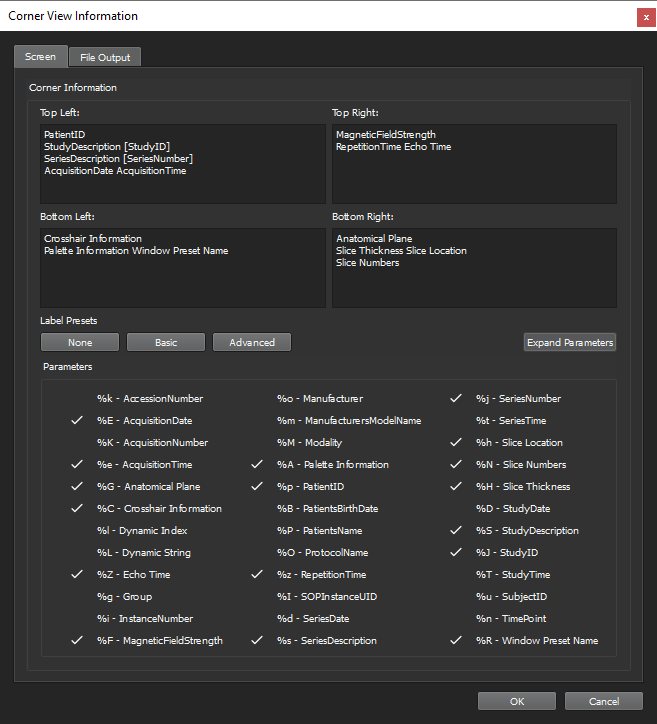
Label images for outputs — we’ve enhanced the labeling in VivoQuant™ to provide greater flexibility over the labeling options and the ability to apply them to your saved movies and images. You can label images on screen differently from your file output as well as having multiple file output templates available to you.
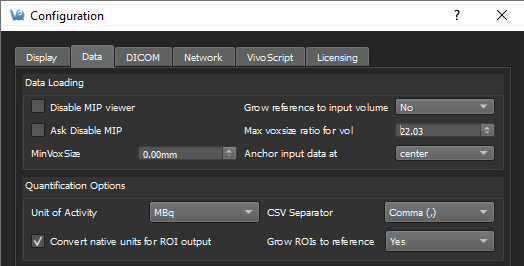
Native UNIT option support — now you can save an image with the raw intensities rather than assuming a unit for ROI output so that you can avoid conversions when you want. By default, VivoQuant’s ROI output operations will attempt to convert your data to the unit specified in the Units of Activity drop down e.g. MBq. Now you can uncheck the box when working with the raw intensities is to your advantage.
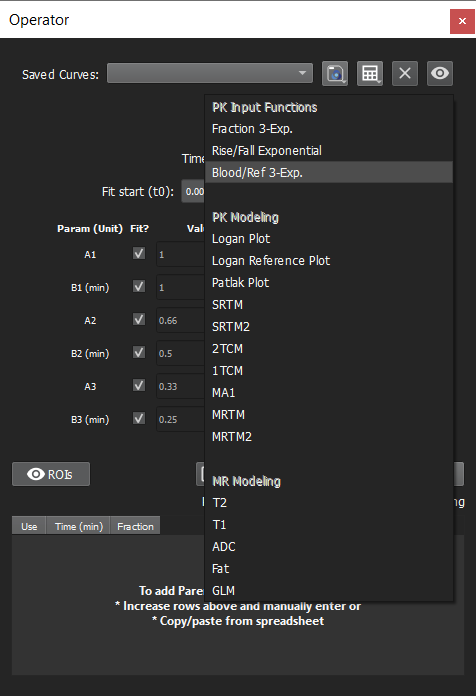
Modeling Operator clarity — your options within the operator are now categorized between PK Input Functions, PK Modeling, and MR modeling for better organization and to help identify PK Input steps. Additionally, the operator provides better hints to you when you select an option, rather than telling you after you run it.
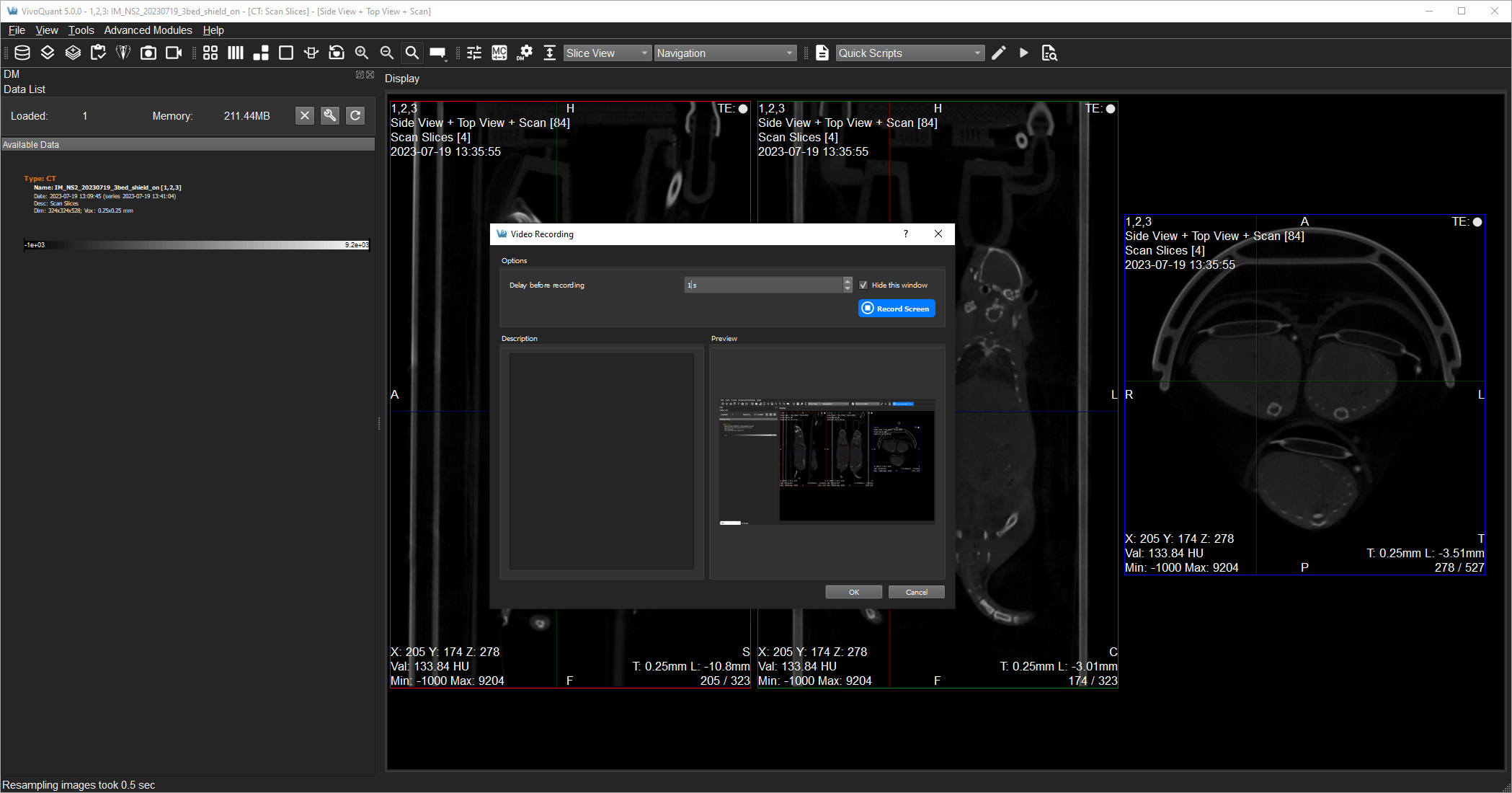
Improved Crash reporting — in addition to capturing recent crash information users can now create a video recording to more clearly demonstrate issues seen in the software.
More information to ground you — StudyDescription sourced from reference data is now part of the identifying information (PatientID, Modality, and SeriesDescription) at the top of VivoQuant.

See the full VivoQuant™ Release Notes 5.0.0 and Release Notes 5.0.1 (PDF) for more detail.