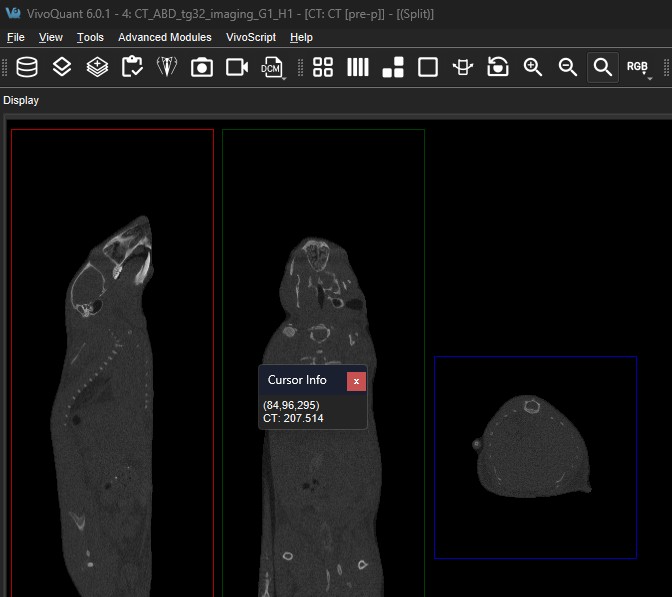
The Persistent Cursor Info checkbox turns the typical slice view voxel value tooltip into a dialog that will be persistent and movable.
Getting There
The Persistent Cursor Info feature can be found in the View menu under the Advanced sub menu.
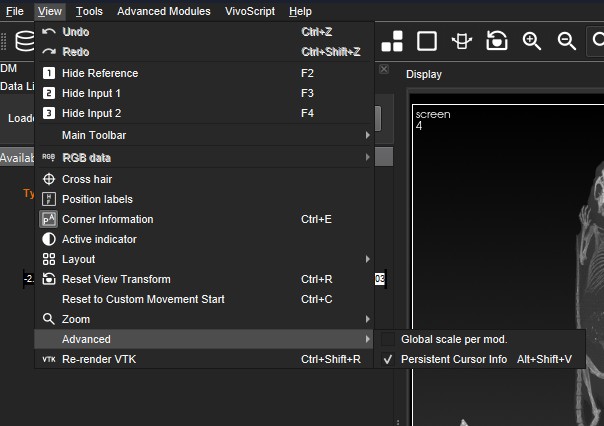
| Function | Shortcut |
|---|---|
| Toggle Persistent Cursor Info | Alt + Shift + V |
For more information on keyboard shortcuts, see the Keyboard Shortcuts page.
Function
The voxel value tooltip is launched in any slice view when the left mouse button is clicked over a voxel. It displays information related to the current voxel values.
If Persistent Cursor Info is enabled, the cursor tooltip is not launched immediately. Instead, it is launched following the same sequence of events used for the non-persistent tooltip. Once the persistent tooltip is launched, it remains visible until the user closes the dialog, and it will relaunch when triggered again by the same sequence of events.
To return to the non-persistent tooltip, simply disable Persistent Cursor Info.